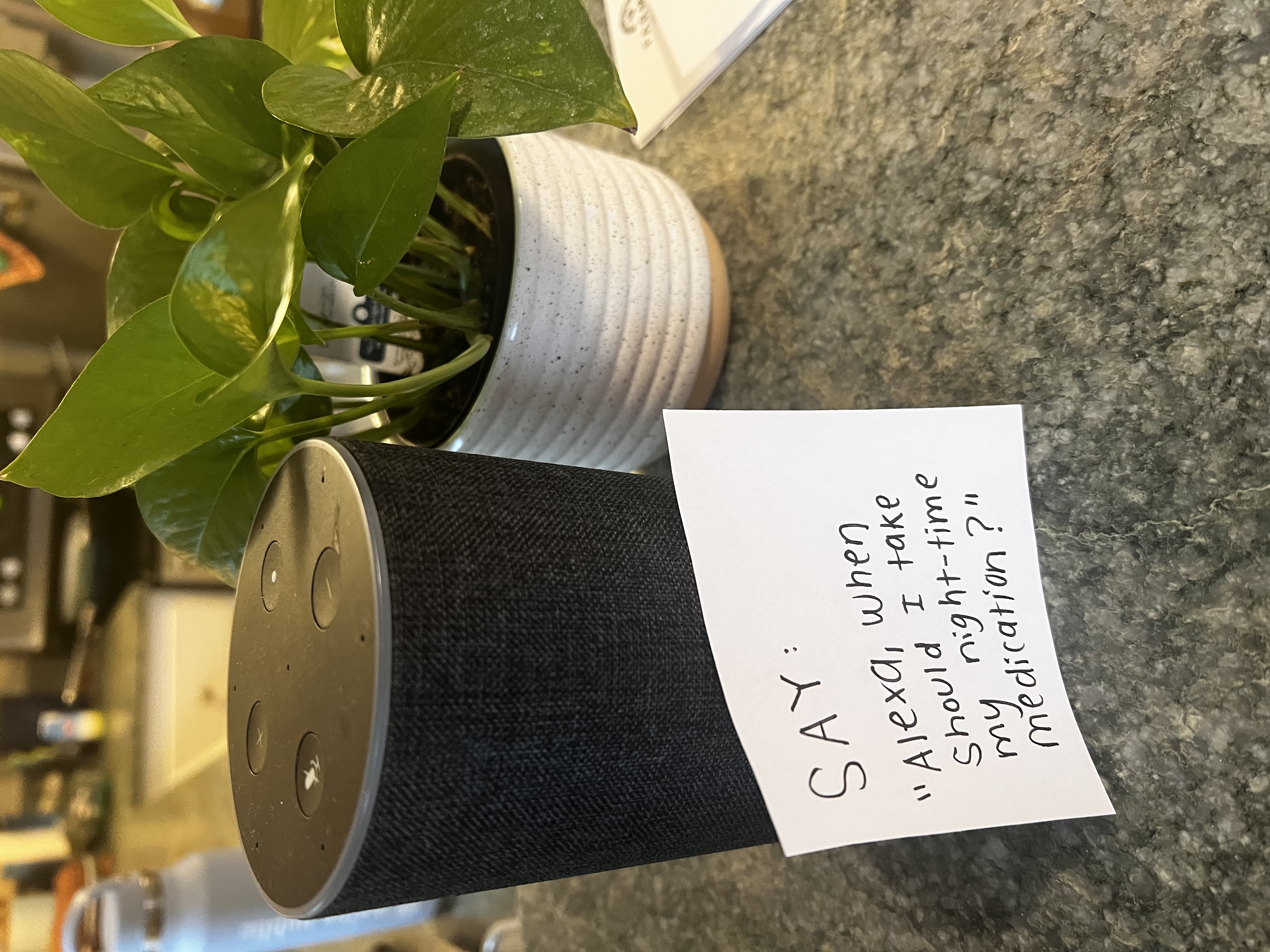
As a caregiver, I worked with a client who was mobility impaired. I thought she was a perfect candidate for a voice assistant. But the reality was, she had trouble remembering the name of the voice assistant and how to phrase questions.
What helped most was writing the exact commands on a piece of paper so she could simply read phrases out loud and get an answer. That small change turned the device from a foreign concept into something genuinely useful.
Voice Assistants can be especially helpful for:
As is the “Surprisingly Helpful” philosophy, the best results usually come from pairing a voice assistant with simple, low-tech supports! These include: a pillbox, a wall calendar, a day/time clock, a written command sheet, or labeled notes around the home. Diversifying reminder types (physical, visual, auditory) can produce better habit adherence.
One of the most practical uses of Alexa for seniors is medication reminders. For example, a caregiver can set up recurring reminders like:
“Alexa, remind me to take my morning pills every day at 8 AM.” Or: “Alexa, remind me to take my evening medication every day at 7 PM.”
Note: Alexa reminders and pill organizers can be helpful tools, but they should not replace medical advice, prescription instructions, or caregiver support. Always follow guidance from your doctor, pharmacist, or healthcare provider.

Double up: Pair with a day-of-the-week pill organizer. The voice assistant gives the auditory prompt, and the pillbox gives you a visual way to check whether the dose was taken.
To set this, say: “Alexa, remind me to take my morning pills every day at 8 AM.”
A voice assistant can also work as a simple alarm clock.
Useful commands include:
For someone who benefits from a steady daily rhythm, an Alexa alarm can become part of a predictable morning routine. You can also set reminders that include more detailed information:
This can be especially helpful for older adults who feel disoriented in the morning or would benefit from a gentle nudge to begin the day.
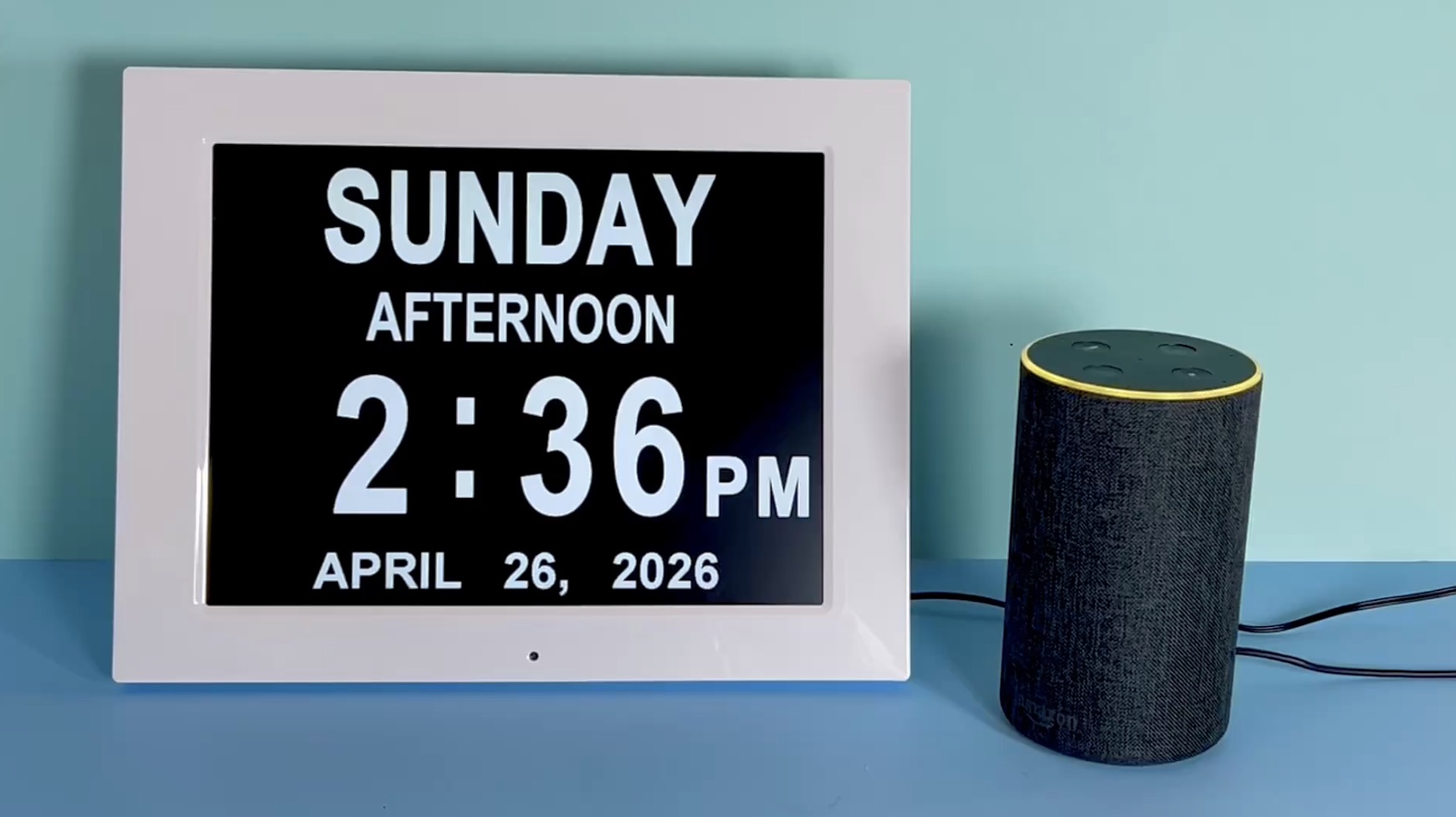
A day/time clock shows the day, date, and time in large text. Alexa can answer the question out loud, while the clock reinforces the day, time and date visually. One example would be:
Say: "Alexa, everyday at 10am say: It's time to eat breakfast"
For some older adults, especially those with memory changes, nighttime can be disorienting. They may wake up and wonder whether it is morning, what day it is, or whether they have an appointment.
A voice assistant can answer simple orientation questions:
This can be reassuring because the person does not have to find glasses, turn on a phone, or walk across the room to check a clock.
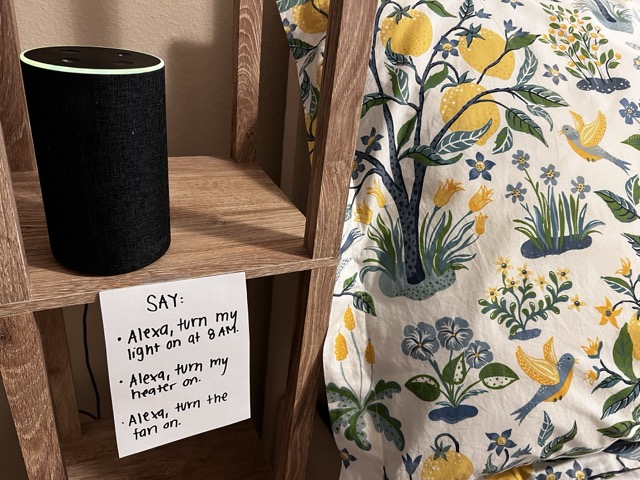
You can buy smart plugs that connect to your voice assistant (Alexa, Google Home) which you can then control by voice. This is a useful choice for people with mobility or visual impairments who would benefit from controlling the plugs by voice.
You can say: “Alexa, turn my light on at 8am,” “Alexa, turn the heater on,” “Alexa, turn the fan on.” These appliances can be labeled in the app, so you can refer to them by name to turn them on or off.
Voice assistants can make it easier for older adults to call family members or caregivers, especially if using a smartphone has become difficult.
Example commands:
This can be useful if a person:
For an aging parent living alone, appointments can be one of the hardest things to keep track of.
Alexa can help with auditory reminders like:
A voice assistant can be paired with a large print wall calendar (a good choice for people with low vision or glasses are misplaced) so there is both an audio reminder and a visual backup.
One of the most useful Alexa ideas for caregivers is setting up routines.
A routine can combine several actions into one phrase. For example, saying:
“Alexa, start my morning.”
Could trigger Alexa to:
Caregiver-focused resources commonly describe reminders, routines, calls, and smart home controls as practical uses for older adults and caregivers.
A morning routine is especially helpful because it reduces the number of separate commands someone has to remember.
Leaving the house is a moment when all of us may be our most forgetful! There’s a lot to remember and having an extra check is never a bad thing. It can save a lot of heartache for your outing.
You could add a simple checklist for Alexa to remind you of before leaving the house:
Voice-controlled lights can be especially helpful for older adults with mobility challenges or fall risk. When you set them up, you can name each appliance “heater,” “fan,” “bedroom light,” etc.
With compatible smart bulbs or smart plugs, a person can say:
Smart home tools such as voice-activated assistants and smart lighting are often discussed as aging-in-place supports because they can reduce physical strain and make the home easier to navigate.
Voice assistants can also answer everyday factual questions:
This may seem minor, but for an older adult who has difficulty using a smartphone or computer, asking out loud can support independence.
Caregiver tip: Encourage questions that are practical and low-risk. For medical, legal, or urgent health questions, a voice assistant should not replace a doctor, pharmacist, or caregiver.
Voice assistants can also help make the home feel less quiet.
Ideas include:
Some newer research is exploring Alexa for older adults, and reporting has described devices that support conversation, games, and combat loneliness.
For a simple Alexa setup, music, radio, audiobooks, trivia, and daily greetings can add small moments of enjoyment without requiring complicated technology.
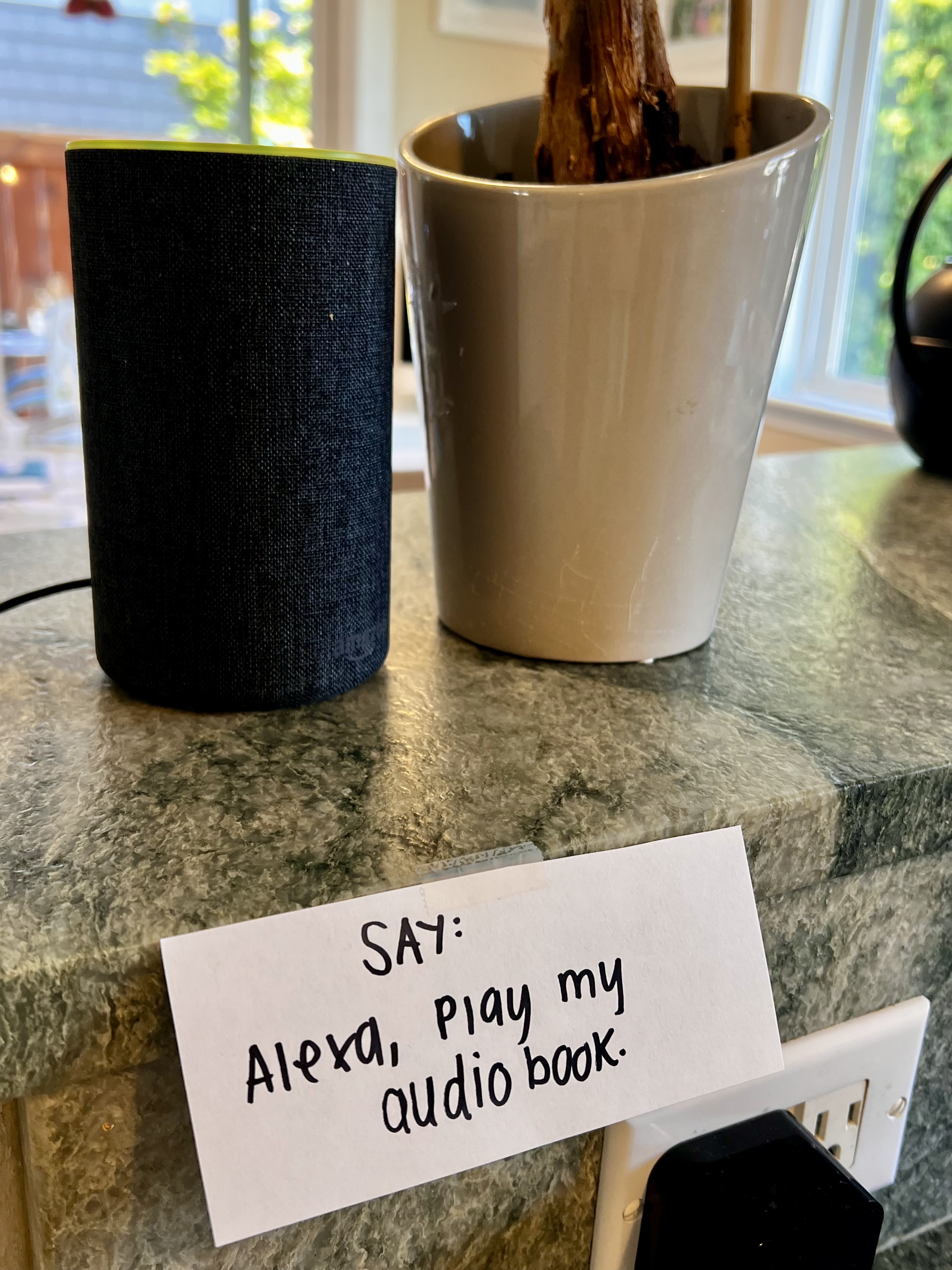
An Audible subscription (an audio book subscription that connects to your Alexa) can be a great companion for older adults who enjoy books but may have trouble reading small print, holding heavy books, or using a screen. With a simple voice command like, “Alexa, play my audiobook,” they can listen to stories, memoirs, mysteries, or calming bedtime reads without needing to navigate an app. It’s a helpful way to add comfort, routine, and mental stimulation to the day.