Caregivers often keep their phones on silent or Do Not Disturb to avoid constant notifications during work, rest, or caregiving tasks. However, missing an urgent call from a loved one or medical provider can lead to delayed care or unnecessary stress. You may also worry that your parent, loved one or client is calling with an emergency that you may miss. Setting up contact-specific overrides gives caregivers peace of mind: routine notifications remain muted, while urgent calls bypass silent settings instantly.
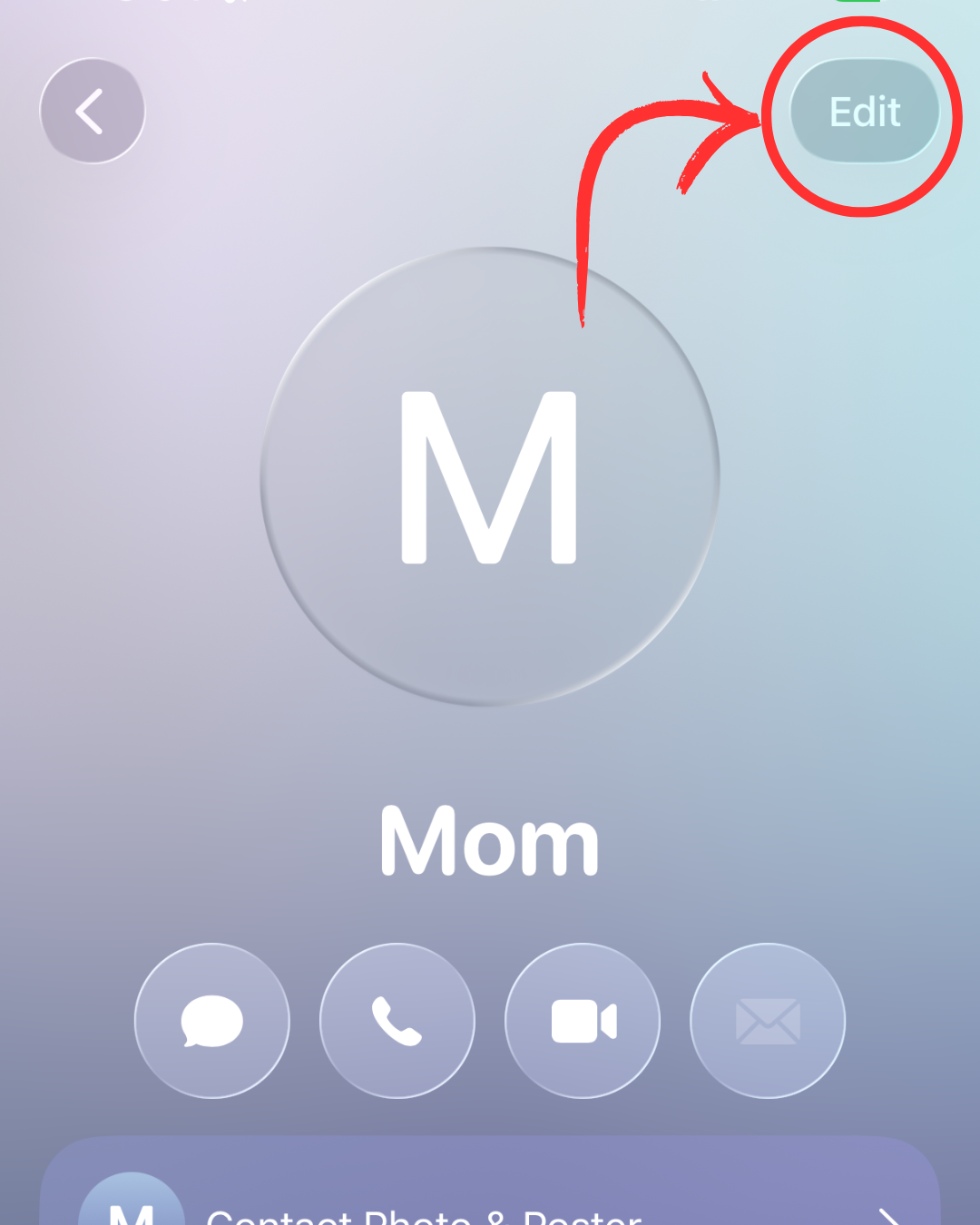
In the upper righthand side you will see the "edit" button. Click this.
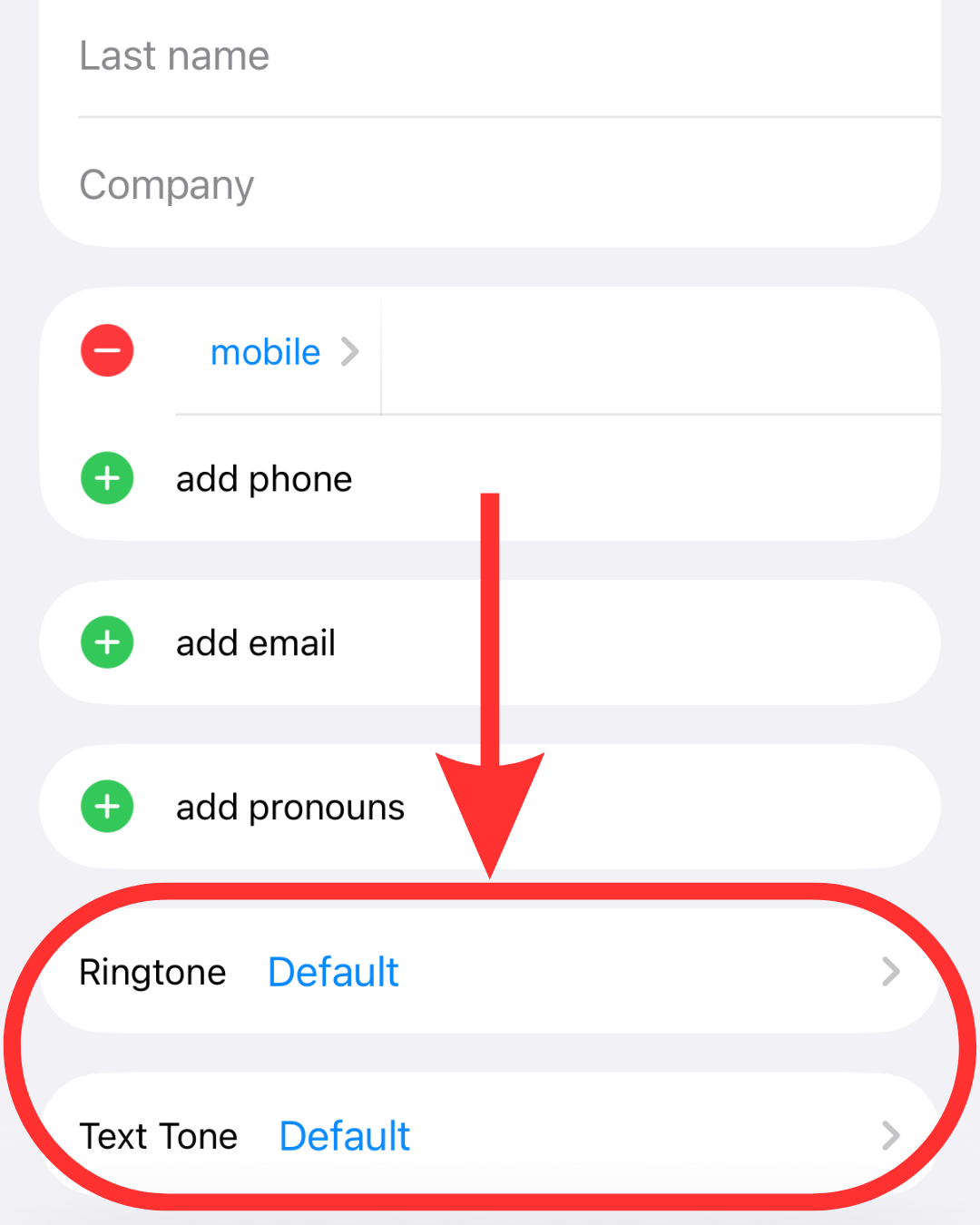
Custom contact settings let you select whose calls, texts, or both break through silent or Do Not Disturb modes. For caregivers, this ensures urgent communications from a parent, client, or care provider always reach you while keeping all other notifications muted.
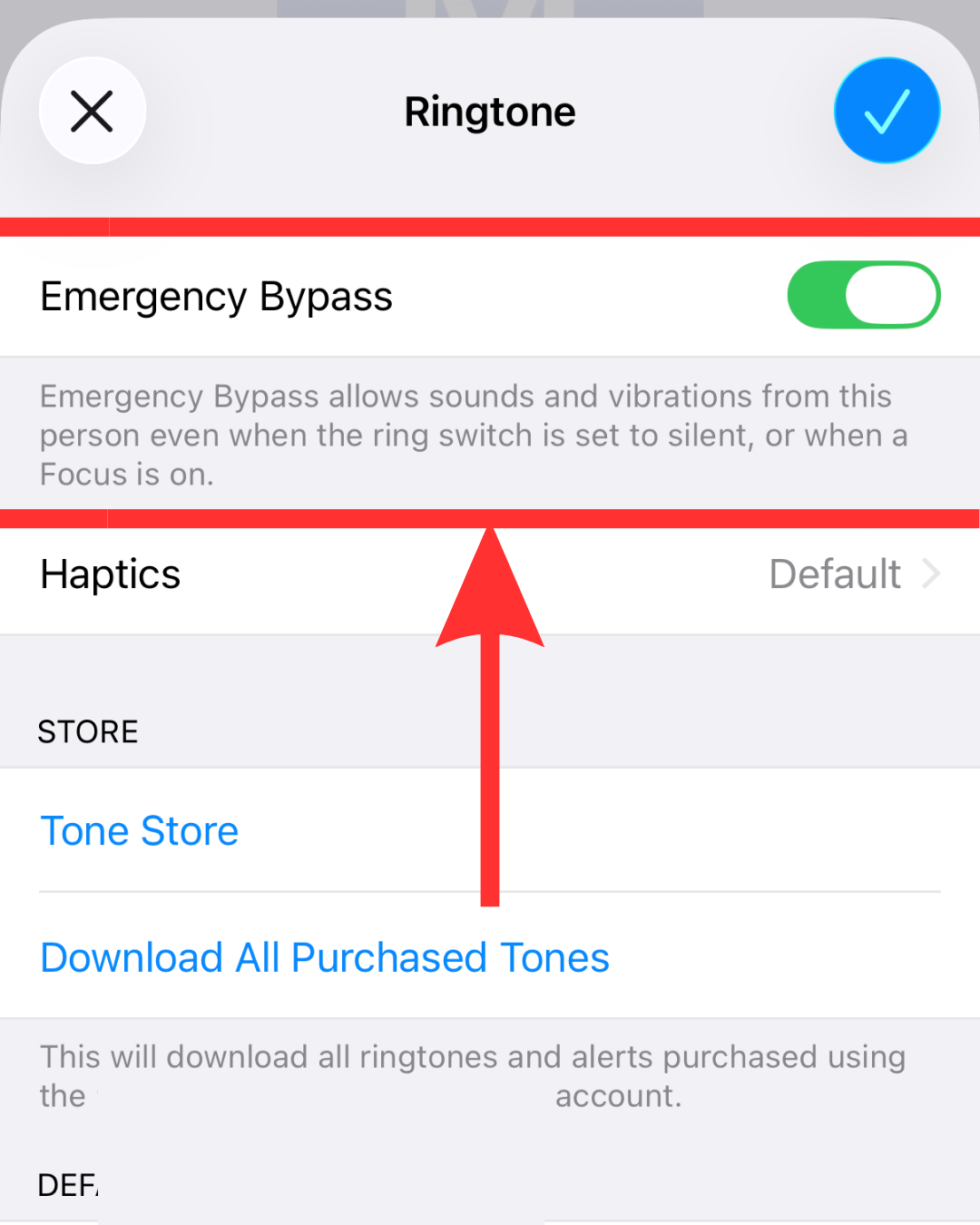
Emergency Bypass will be turned on if you toggle it to green, simple as that. The text below reads:
"Emergency Bypass allows sounds and vibrations from this person even when the ring switch is set to silent, or when a Focus is on."
This means it will be able to break through both silent mode as well as do not disturb and focus mode.
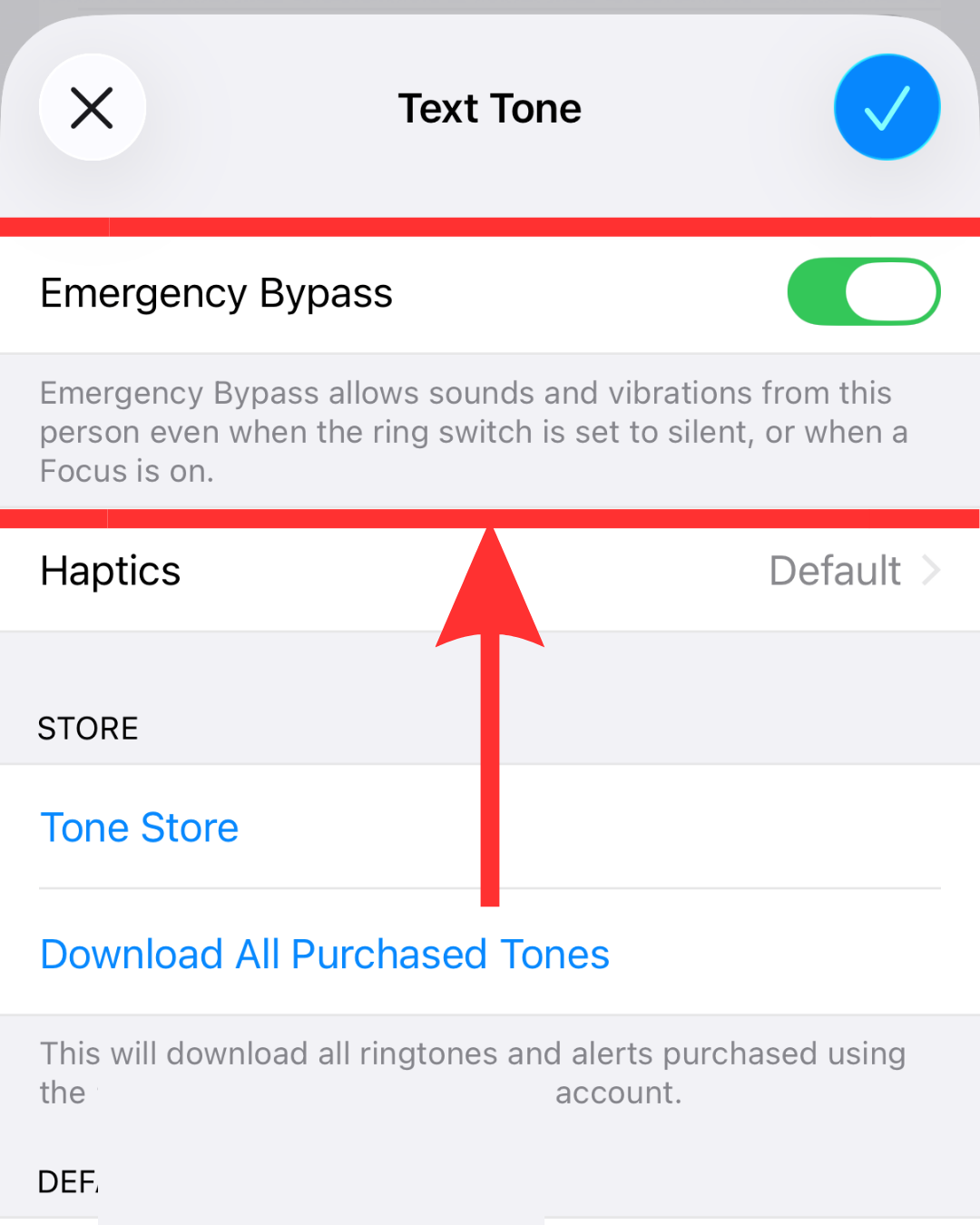
If you also want to receive texts from this contact (regardless of your notification setting) you can toggle Emergency Bypass on for texts under "Text Tone."

iPhone also offers an option to allow calls through if the same person rings twice in rapid succession.
Whether you are managing caregiving responsibilities, family emergencies or coordinating time-sensitive care, critical incoming calls shouldn't get lost when a phone is set to silent or Do Not Disturb. Toggling on "Emergency Bypass" is a great addition to your communication set-up for added peace of mind as a caregiver.
For added layers of security, we have also written an article called 10 Ways to Easily Contact Another Person in the House. The more back-up methods you have at your disposal, the more secure you and your loved one will feel when he or she needs to get a hold of you.
We also have an article that features 5 Places to put a Caregiver Call Button in case a phone is not easily within reach.